Articles by "Articles"
Showing posts with label Articles. Show all posts
Print Friendly and PDF
Place where all sort of programming stuff and reviews,technology news are shared and Useful Project of C++,C,java C# etc

Running on over 80 percent of smartphones and tablets in the world, Google’s Android is the number one mobile operating system. The Android operating system is open and flexible, which makes it awesome — for users and developers alike — in so many ways. But the OS’s openness and flexibility also leave the system vulnerable to invasion by malware. Malware can be used to compromise the security and privacy of your Android device.

Protect android

In most cases, malware in Android smartphones and tablets appears in the form of an application. Sometimes, an app includes malicious codes that make it perform certain actions without your consent. For instance, some applications broadcast your location data when you are searching for local maps. But malware is not the only threat when it comes to the security and privacy of your Android device. The operating system is under constant attack and older versions are more vulnerable than new ones.

Is there something that Android users can do to secure their devices? Yes. Plenty, actually. In this article, we explore various ways you can protect your Android device from a wide range of threats out there. Read on to find out more.

Use VPN

VPN is short for Virtual Private Network. A VPN service encrypts your internet connection and is arguably the best privacy tool for securing your Android device when you are connected to the internet. creates a virtual network of any number of connected devices online thus concealing the IP addresses of devices on the network. Android VPNs optimized for the OS are rapidly growing in popularity among Android users.

Since the internet has become such a huge part of our lives, we need to ensure that we are fully protected when we go online. Android VPN is one of the best ways to protect yourself from hackers and snoopers as you go about your business online. If you frequent online shopping sites such as Amazon, you can enjoy the perks of using a VPN to shop online without having to worry about someone stealing your credit card information and other personal data.

Enable Two-Factor Authentication

Two-factor authentication may seem like an inconvenience but it’s one of the most effective ways to lock down your Google services. 2-FA requires you to verify with a unique verification code and a passcode sent via OTP every time you log in to your Google account. To enable two-factor authentication, log in to your account, go to settings, and click on ‘Using 2-step verification.’ When 2-FA is enabled, no one can access your account even if your password is hacked.

Only Install Apps from Trusted Sources

The Android operating system allows users to install apps from third-party app banks through a process known as sideloading. To be able to install applications from third-party platforms, users are required to enable ‘Install apps from Unknown Sources’ in device settings. This is not recommended. Apps downloaded from third-party app banks may contain malware. Always disable the installation of apps from unknown sources to be on the safer side. Go to Settings > Security to make sure that this feature is disabled.

Install Anti-Virus Software

The latest versions of the Android operating system do a pretty good job when it comes to securing your smartphone or tablet. However, experts maintain that it’s not enough and users ought to do more to protect their data. Just like your computer, your Android device is also susceptible to data theft. Installing antivirus software and other security apps can be useful. Popular choices include Kaspersky, Avast, Norton, McAfee, and Bitdefender. Look for features such as Automatic Scan, Malware Detection, Anti-Theft, etc.

When it comes to device security, you can never be completely safe. This is especially true for Android-powered smartphones. Hackers are constantly coming up with creative ways to compromise the security of your device and steal data. However, by following these suggestions, you can make your Android smartphone more secure.

no image
Place where all sort of programming stuff and reviews,technology news are shared and Useful Project of C++,C,java C# etc
In C#, types are divided into two categories:
  • value types 
  • Reference types. 
Value types directly contain their data, and reference types store references to their data. The third category of types called pointers is available only in unsafe code. This pointer type will not be discussed in this document.

VALUE TYPES

In C#, a value type can be either a Struct or an enumeration. C# contains a set of predefined Struct types called the simple types. These simple types are identified through reserved words. All value types implicitly inherit from a class called object. Also, no type can derive from a value type. It is not possible for a value type to be null (null means “nothing” or “no value”). Assigning a variable of a value type creates a copy of the value. This is different from assigning a variable of a reference type, which copies the reference and not the object identified by the reference.

Example

Int,char,byte,bool,decimal ,double, enum , long ,sbyte,short ,struct,uint ,ulong ,ushort

REFERENCE TYPES

A reference type is one of the following: a class, an interface, an array, or a delegate. A reference type value is a reference to an instance of the type. null is compatible with all reference types and indicates the absence of an instance.

Class Types

A class defines a data structure containing data members (constants and fields), function members (methods, properties, events, indexers, operators, instance constructors, destructors and static constructors), and nested types.

The Object Type

The object class type is the ultimate base class of all other types. Every type in C# directly or indirectly derives from the object class type.

The String Type

The string type inherits directly from the class object.

Interface Types

An interface defines a contract. A class implementing an interface must adhere to its contract.

Array Types

An array is a data structure containing a number of variables that are accessed through indices. The variables contained in an array are called the elements of the array. They are all of the same types, and this type is called the element type of the array
Place where all sort of programming stuff and reviews,technology news are shared and Useful Project of C++,C,java C# etc
In C#, a variable represents a storage location. A variable has a type that determines what values can be stored in this variable. Because C# is a type-safe language, the C# compiler guarantees that values stored in variables are always of the appropriate type.

 The value of a variable is changed through the assignment operator and through the use of the ++ and -- operators. A variable must be definitely assigned before its value can be obtained: variables are either initially assigned or initially unassigned. An initially assigned variable has a well-defined initial value, while an initially unassigned variable has no initial value.
Variables In C#

CATEGORIES OF VARIABLES IN C#

C# has seven categories of variables: static variables, instance variables, array elements, value parameters, reference parameters, output parameters, and local variables. The following sections describe each of these categories.

Static Variables

A variable, declared with the static keyword, is a static variable. The initial value of a static variable is the default value of the variable’s type. A static variable is initially assigned.

Instance Variables

A variable declared without the static keyword is an instance variable. An instance variable of a class exists when a new instance of that class is created and ceases to exist when there are no references to that instance and the instance’s destructor (if any) has executed. The initial value of an instance variable of a class is the default value of the variable’s type. An instance variable of a class is initially assigned.

Array Elements

Array elements exist when an array instance is created and cease to exist when there are no references to that array instance. The initial value of each of the elements of an array is the default value of the type of the array elements. An array element is initially assigned.

Local Variables

A local variable is declared within a block, a for-statement, a switch-statement, or a using-statement. The lifetime of a local variable is implementation-dependent. For example, the compiler could generate code that results in the variable’s storage having a shorter lifetime than its containing block. A local variable is not automatically initialized and it has no default value. A local variable is initially unassigned. It is a compile-time error to refer to the local variable in a position that precedes its declaration.

Value Parameters

A parameter declared without a ref or out modifier is a value parameter. A value parameter is initially assigned.

Reference Parameters

A parameter declared with a ref modifier is a reference parameter. A reference parameter represents the same storage location as the variable given as the argument in the function member invocation. Therefore, the value of a reference parameter is always the same as the underlying variable. A variable has to be definitely assigned before it can be passed as a reference parameter in a function member invocation. A reference parameter is considered initially assigned to a function member.

Output Parameters

An output parameter is a parameter declared with an out modifier. An output parameter represents the same storage location as the variable given as the argument in the function member invocation. Therefore, the value of an output parameter is always the same as the underlying variable. A variable does not need to be definitely assigned before it can be passed as an output parameter in a function member invocation. An output parameter is initially unassigned within a function member.

Place where all sort of programming stuff and reviews,technology news are shared and Useful Project of C++,C,java C# etc
Definition 

A frame diagram is a generic problem diagram capturing such a problem pattern is called a frame.

Instead of writing problem diagrams from scratch for every problem world we need to delimit, we might predefine a number of frequent problem patterns. A specific problem diagram can then be obtained in matching situations by instantiating the corresponding pattern (Jackson, 2001). This is another illustration of the knowledge reuse technique 

Explanation 

The interface labels are now typed parameters; they are prefixed by 'C''E' or 'Y', depending on whether they are to be instantiated to casual, event or symbolic phenomena, respectively. 


A generic component in a frame diagram can be further annotated by its type:

Causal Component

A component marked by a 'C', has some internal causality that can be enforced, e.g. it reacts predictably in response to external stimuli. A machine component is intrinsically causal. 

Biddable Component

 A  component marked by a 'B', has no such enforceable causality, e.g. it consists of people.

Lexical Component

A component, marked by an 'X', is a symbolic representation of data.

The upper part shows two frame diagrams. The one on the left-hand side represents the Simple Workpieces frame. It captures a problem class where a machine is a tool allowing a user to generate information that can be analysed and used for other purposes. The frame diagram on the right-hand side represents the Information Display frame. It captures a problem class where the machine must present information in a required form to environment components

The frame diagram specifies that the information machine component monitors a causal phenomenon C1 from the RealWorld component and produces an event phenomenon E2 for a Display component as a result. The requirement constraining the latter component is a generic accuracy requirement, as indicated by the ' .....,• symbol; it prescribes that the information displayed should accurately reflect a causal phenomenon C3 from the RealWorld component. 
Frame Diagram

The lower part shows corresponding frame instantiations yielding problem diagrams. The phenomenon instantiations, compatible with the corresponding p~rameter type, are shown on the bottom. The component instantiations, compatible with the corresponding Component type, are annotated with the name of the generic component to indicate their role in the frame instantiation. For example, the instantiated right-hand side requirement states that the notified meeting date and location must be the one determined by the Scheduler component.

Other frames can be similarly defined and instantiated, for example for problems where the environment behaviours must be controlled by the machine in accordance with commands issued by an operator, or for problems where the machine must transform input data into output data (Jackson, 2001).

Context and problem diagrams provide a simple, convenient notation for delimiting the scope of the system-to-be in terms of components relevant to the problem world and their static interconnections. There is a price to pay for such simplicity. The properties of the interaction between pairs of components are not made precise. The granularity of components and the criteria for a component to appear in a diagram are not very clear either. 


For example

A network component might be part of the problem world of scheduling meetings involving participants who are geographically distributed. According to which precise criteria should this component appear or not. Problem diagrams may also become clumsy for large sets of requirements. 

How do we compose or decompose them? What properties must be preserved under composition or decomposition? we will come back to those issues. A more precise semantics will be given for components and connections, providing criteria for identifying and refining components and interconnections. We will also see there how the / useful view offered by context and problem diagrams can be derived systematically from goal diagrams.


Place where all sort of programming stuff and reviews,technology news are shared and Useful Project of C++,C,java C# etc
Problem diagrams

A context diagram can be further detailed by indicating explicitly which component controls a shared phenomenon, which component constitutes the machine we need to build, and which components are affected by which requirements. The resulting diagram is called a problem diagram (Jackson, 2001).

A problem diagram excerpt for the meeting scheduling system. A rectangle with a double vertical stripe represents the machine we need to build. A rectangle with a single stripe represents a component to be designed. An interface can be declared separately; the exclamation mark after a component name prefixing a declaration indicates that this component controls the phenomena in the declared set.

 For example

 The f label declaration  states that the Scheduler machine controls the phenomena determineDate and determineLocation. A dashed oval represents a requirement. It may be connected to a component through a dashed line, to indicate that the requirement refers to it, or by· a dashed arrow, to indicate that the requirement constrains it. Such connections may be labelled as well to indicate which corresponding phenomena are referenced or constrained by the requirement. 
problem diagram

For example

 The h label declaration  indicates that the requirement appearing there constrains the phenomena Date and Location controlled by the Scheduler machine.
Place where all sort of programming stuff and reviews,technology news are shared and Useful Project of C++,C,java C# etc
Definition
A context diagram is a simple graph where nodes represent system components and edges represent connections through shared phenomena declared by the labels (DeMarco, 1978; Jackson, 2001).

For example

The Initiator component controls the meetingRequest event, whereas the Scheduler component monitors it; the Scheduler component controls the constraintsRequest event, whereas the Participant component controls the constraintsSent event.

context diagram
A component in general does not interact with all other components. A context diagram provides a simple visualization of the direct environment of each component; that is, the set of 'neighbour' components with which it interacts, together with their respective interfaces.
no image
Place where all sort of programming stuff and reviews,technology news are shared and Useful Project of C++,C,java C# etc
You can redefine or overload most of the built-in operators available in C#. Thus a programmer can use operators with user-defined types as well. Overloaded operators are functions with special names the keyword operator followed by the symbol for the operator being defined. similar to any other function, an overloaded operator has a return type and a parameter list.

For example:

using System;
public class Program
{
 int x, y, z;
 public Program()
 {
 x = y = z = 0;
 }
 public Program(int i, int j, int k)
 {
 x = i;
 y = j;
 z = k;
 }
 public static Program operator +(Program a, Program b)
 {
 Program c = new Program();
 c.x = a.x + b.x;
 c.y = a.y + b.y;
 c.z = a.y + b.y;
 return c;
 }
 public static Program operator -(Program a, Program b)
 {
 Program c = new Program();
 c.x = a.x - b.x;
 c.y = a.y - b.y;
 c.z = a.y - b.y;
 return c;
 }
 public void show()
 {
 Console.WriteLine(x + " , " + y + " , " + z);
 }
}
class second
 {
 static void Main(string[] args)
 {
 Program n1 = new Program(1,2,3);
 Program n2 = new Program(10,10,10);
 Program n3 = new Program();
 Console.WriteLine("here is n1");
 n1.show();
 Console.WriteLine("here is n2");
 n2.show();
 n3 = n1 + n2;
 Console.WriteLine("Result of n1 + n2");
 
 n3.show();
 n3 = n1 + n2+n3;
 Console.WriteLine("Result of n1 + n2 + n3");
 n3.show();

 n3 = n3 - n1;
 Console.WriteLine("Result of n3 - n1");
 n3.show();
 n3 = n3 - n2;
 Console.WriteLine("Result of n3 - n2");
 n3.show();

 }
 }
Place where all sort of programming stuff and reviews,technology news are shared and Useful Project of C++,C,java C# etc
The calculator is a type of electronic device used to do mathematical calculations. Originally, it can only executes the basic mathematical functions such as addition, subtraction, multiplication and division. The advancement of technology led to the development of Handheld Scientific Calculators and Online Scientific Calculators.

Online Scientific Calculators

A scientific calculator is a handheld calculator that is designed to solve problems in the field of sciences, mathematics, engineering and more. The remarkable change in the technology because of the advent of the internet gave birth to online scientific calculators. Calculations can now be performed for free on the internet without the need of buying a handheld scientific calculator device. The Online Scientific Calculator is a very essential tool because it can do all sorts of complex mathematical calculations very quickly as long as there is an internet connection. It is very easy to take advantage of its uses anywhere for free because it can be used as long as connected to the internet via Data, Wi-Fi or any other internet connection using a desktop, laptop, tablet or smart phone. Moreover, it is very user-friendly. Its interface is the same as the handheld calculator.

Online Scientific Calculator help lessen the difficulty of answering problems and for both students and professionals alike. Accurate calculations can be brought out by using this great online tool. Mathematical problems can be solved repeatedly quickly and without any difficulty. Thus, it is a great instrument for developing new technologies for students, engineers, scientists, and more.

Free Online Scientific Calculator is available for fast and easy solving of problems, which helps in saving time for both students and professionals. One best Online Scientific Calculator is  Scientific Calculator from EEweb. eCalc is a free and easy to use scientific calculator that supports many advanced features including unit conversion, equation solving, and even complex-number math. eCalc is offered as both a free online calculator and as a downloadable calculator.


Place where all sort of programming stuff and reviews,technology news are shared and Useful Project of C++,C,java C# etc
Turn your Windows 10 PC into a mobile hotspot by sharing your Internet connection with other devices over Wi-Fi. You can share a Wi-Fi, Ethernet, or cellular data connection. If your PC has a cellular data connection and you share it, it will use data from your data plan.

  • Press the windows key +I
  • Select the menu Network & Internet
  • then select Mobile Hotspot from Menu 
  • For Share my Internet connection from, choose the Internet connection you want to share.
  • Select Edit > enter a new network name and password > Save.

Like this 
Use your PC as a mobile hotspot in windows 10

Turn on Share my Internet connection with other devices.
To connect on the other device, go to the Wi-Fi settings on that device, find your network name, select it, enter the password, and then connect.

Wi-Fi settings


Place where all sort of programming stuff and reviews,technology news are shared and Useful Project of C++,C,java C# etc
Google has officially released the stable version 53 of its Chrome browser. It introduces a redesigned user interface in the style of "material" design. In particular, the external transformation got tabs, icons and other interface elements. In addition, the update brings a dark theme for the regime "Incognito". Users of Windows 10 will notice that the browser now supports OS Emoji and also include new feature in google developer tools .
Google has updated Chrome with great attention to energy consumption


As for the really important changes, the company claims that with the release of a new version of Chrome is faster, and along with it has become more sparing consume CPU resources and GPU when playing video, which has a positive impact on the energy efficiency of your browser.Finally, the update also improves the use of the browser on displays with high pixel density (HiDPI).

If the update has not yet been established automatically, you can install it manually by going to the Help → About the browser Google Chrome in the settings panel.
Place where all sort of programming stuff and reviews,technology news are shared and Useful Project of C++,C,java C# etc
Just a few day ago we reported about a possible return One Clip with the release upgrade from Windows 10 Red stone 2, but not as a stand-alone application, as well as the standard operating system functions. Today, the network was discovered site, allowing to take part in the beta test of the new application Cache, which can be a "rebirth" One Clip.


A new cloud clipboard from Microsoft Garage


Recall, One Clip allows you to sync the copied content (images, text, links, etc.) between different devices through the cloud clipboard. The app has flowed into the network in May last year in versions for PC and mobile devices, but the official release did not take place. The day before it was reported that One Clip can become part of the next functional updates for Windows 10, Microsoft Garage and now run the application site Cache, which is in its capabilities are very similar to the Cache.

At the moment, the app is available for the desktop version of Windows 10 and iPhone. The invitation to try it, you can request on the official website of the project.


Place where all sort of programming stuff and reviews,technology news are shared and Useful Project of C++,C,java C# etc
Today I will discuss how we access the internet in our laptop through wired or 3G or 4G data card. Here is most important thing in this articles mhotspot that turns your laptop into Wifi hotspot .with this software no need of the router or external hardware is required apart from your existing one. Mhotspot is free software which converts your windows 7, 8, 8.1 & 10 Laptop into a virtual Wifi router and creates a secure Wi-Fi hotspot connection. You can share an internet connection (Ethernet, Data-card, 3G/4G, LAN, Wi-Fi) on multiple devices like Android Phone, Laptop, iPhone, and iPad etc.


How do we access internet in our Laptop through wifi hotspot?


The question is how to connect Wi-Fi hotspot on Laptop. First of all, download mhotspot from an official website. After downloading and installation it on your Laptop and lunch the mhotspot and follow the simple steps for Wi-Fi hotspot.


mhotspot

How to setup mhotspot:


  • Put your hotspot name and password (Must be 8 digits
  • After it set internet source 
  • Then set max clients (up to 10 devices)
  • And start your hotspot 
You can also customize notification, startup etc. clicks setting 

mhotspotSetting

Best Features of mhotspot:

  • Compatible with android devices,Linux(coming soon) and  Windows 7,8,8.1 and 10 
  • You can set your own hotspot name and password without any restrictions 
  • Show password 
  • Connect up to 10 devices to the hotspot 
  • Share any type of Internet Connection(LAN, Ethernet,3G/4G,Wifi etc) 
  • Android phones, IPads, PDAs, tablet-pcs and other devices can access 
  • See the details of the connected device(Name, Ip & Mac Address) 
  • See the network usage(Upload and Download Speed, Transfer Rates) 
  • Secures your wireless hotspot with WPA2 PSK password security 
  • Set max. number of devices that can be connected (up to 10 devices) 
  • Extends your Wifi range(Acts as a repeater)
  • Give number of connected client(MB) 
  • Total data transmitted speed (Kbps)
  • Total upload speed(Kbps) 
  • Downloading speed(Kbps)

Source:mhotspot
Place where all sort of programming stuff and reviews,technology news are shared and Useful Project of C++,C,java C# etc
Windows usually connected with different  networks such as wifi ,Ethernet, and broadband.whenever PC connect to a new wifi network .it's  added and store in the list of windows profile .The stored profile can be containing its name ,password and etc. with the time period list of the profile can increase.you may want to delete or remove the profiles.


In this blog , I will show you how can remove, delete or forget wifi password .

Simple step is follow 

How to forget wifi password in windows 10

  • Go to windows search bar
  • Type in search bar setting  and press enter 
  • Select Network & Internet
  • Select wifi from sidebar 
There is two option 
  • Advanced option 
  • Manage wifi setting
Select the manage wifi setting option and go down you will see the option manage known networks 

manage wifi setting

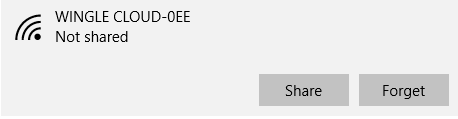
select the profile or network  either  you want to forget or remove networks .click on forget this delete the network detail and profile information 


Place where all sort of programming stuff and reviews,technology news are shared and Useful Project of C++,C,java C# etc
Web design tools are develop rapidly everywhere now a days. Let us look at the best 5 web design tools that are most advanced, feature rich, popular among community of web designers and make it possible to build complex, modern, responsive, feature rich interactive websites and web apps

Macaw  

Macaw

Stop writing code, start drawing it. Macaw provides the same flexibility as your favorite image editor but also writes semantic HTML and remarkably succinct CSS. It's time to expect more from a web design tool.And the best part: Studio is completely free. No trial, no subscription.


Mobirise

Mobirise is an offline app for Window and Mac to easily create small/medium websites, landing pages, online resumes and portfolios, promo sites for apps, events, services and products.it is completely free.

Bootstrap Studio


Bootstrap Studio

Bootstrap Studio is a desktop application filled with powerful features. Bootstrap Studio is a desktop application that helps web developers and designers create responsive websites using the Bootstrap framework. It supports a wide range of components and advanced features that make you more productive. Thousands of developers and designers use it every day. We are sure you'll love it too!

Google Web Designer

Google Web Designer gives you the power to create beautiful, engaging HTML5 content. Use animation and interactive elements to bring your creative vision to life, and enjoy seamless integration with other Google products, like Google Drive, DoubleClick Studio, and AdWords.

Squarespace

Squarespace

Squarespace template design has been crafted by our world-class design team. Template designs are created with modern browsers and mobile devices in mind, and employ the latest HTML, CSS and JavaScript techniques. And the best part:Template Switching,Designed for Any Purpose,Style Editor,Built-in Mobile Websites,Customizable Content Layouts and many more


Place where all sort of programming stuff and reviews,technology news are shared and Useful Project of C++,C,java C# etc
Microsoft may be affected by two new lawsuits related to the automatic upgrade to Windows 10. In particular, one of the complaints was filed in the Court of the State of Florida: the three men argue that the corporation has violated the law protecting citizens from misleading advertising and unfair e and deceptive practices. The second lawsuit was filed in the District Court of Haifa in Israel, there plaintiff became "happy" user Windows 10 after you install the update without his consent, has accused Microsoft of violating local "computer law".

Windows 10 :new problems due to upgrades


In both cases, the protection of Microsoft claims that free upgrades are voluntary, and that users had been warned about this procedure. A company spokesman said:
This unfounded accusations, and we are confident that come out winners
It would be fair to say that a few weeks the court has satisfied the claim of the American businesswoman who has suffered financial loss due to the fact that her computer started working properly after the sudden installation of Windows 10. As a result, Microsoft had to pay her compensation of 10 000 dollars.
A source
Place where all sort of programming stuff and reviews,technology news are shared and Useful Project of C++,C,java C# etc
Today I will discuss about Facebook messenger app  new update change nick name emoji and chat color .
You can customize on your own need, you can customize chat color ,change the name of your friend in desktop chat messenger and also set a frequently used emoji that you like most that you can send it to your friend in just one click .Continue reading to find how to do all of these on your phone or desktop  


How To change Facebook nick name emoji and chat color from desktop ?

Before starting Make sure that you are on desktop messenger 
Launch the web browser on desktop and type https://www.messenger.com/ in search bar Whether you are using the Messenger app on an Android device or IOS steps should be the same.


How To change Facebook nick name


Select the chat that you want to customize. it can be either a one on one chat or group chat ,click on the friend name at the top of screen,it will be your friend's name ,for a friend chat,it will be the friend name .
Note :In Desktop

In the option screen, you will see four options: Nicknames, Color ,Emoji and mute notification. Pick  one of them that you want to customize.


you will see four options: Nicknames, Color ,Emoji

The Nicknames section lists all the participants in the current chat . To set a nickname for someone, simply click on the Set Nickname ,type the name in the popup , and click to Save. Remember that this change will be unique , so everyone else will see that nickname instead of the real Facebook name.


Nicknames section

Pick a color for this conversation inside chat is rather easy. You select the favorite color option, and then click on the desired color in the table. You have only 15 colors to choose from. This setting will be synced to your friend's devices as well.


Pick a color

The Emoji option gives you quick access to a frequently used emoji. All you have to do is pick your favorite one, and it will be displayed at the sidebar of chat . click on this button will send the emoji to your friends.
Emoji option

Place where all sort of programming stuff and reviews,technology news are shared and Useful Project of C++,C,java C# etc
In this Article I will Show you to how fix  SQL management studio Error 26 this is network instances error statement given below :
How to Fix SQL Management studio Error 26 ?

A network-related or instance-specific error occurred while establishing a connection to SQL Server. The server was not found or was not accessible. Verify that the instance name is correct and that SQL Server is configured to allow remote connections. (provider: SQL Network Interfaces, error: 26 - Error Locating Server/Instance Specified)

Simple Step are follow :
  • First go to start menu
  • Type The SQL sever configuration manager and press  enter 
How to Fix SQL Management studio Error 26 ?

  • In sidebar menu see SQL Server Services  select this menu 
  • and  then select SQL server (SQLEXPRESS)
  • Right Click  and the select Start 
I hope You will enjoy .Still You have and problem please comment below i will fix your problem.
Place where all sort of programming stuff and reviews,technology news are shared and Useful Project of C++,C,java C# etc
In this articles i will discuss about windows 10 app store not working and i will show you to how to fix this issue this is very common issue with windows app store .

Windows 10 Store not working and how fix it ?

To restore and reinstall Windows Store in Windows 10 after removing it with PowerShell, you need to do the following:

Press window key + R hit enter  Type Power shell and then press enter

Windows 10 Store not working and how fix it ?

and then type the following command in power shell or write in search bar run as administrator
Get-Appxpackage -Allusers
Windows 10 Store not working and how fix it ?

Then run this PowerShell command, still elevated, replacing the ****** with the PackageFileName from above:

Windows 10 Store not working and how fix it ?
Add-AppxPackage -register "C:\Program Files\WindowsApps\******\AppxManifest.xml" -DisableDevelopmentMode
Example 
Add-AppxPackage -register "C:\Program Files\WindowsApps\Microsoft.VCLibs.120.00.Universal_12.0.30501.0_x64__8wekyb3d8bbwe\AppxManifest.xml" -DisableDevelopmentMode
I hope you will enjoy this articles . If you like this  please share it .still you have problem with that then comment below i will try to fix your problem.
Place where all sort of programming stuff and reviews,technology news are shared and Useful Project of C++,C,java C# etc
In this tutorial you will learn how to recover your deleted Facebook messages.
How to Find Deleted Messages on Facebook ?


Step 1 -- Accessing Facebook

Go to the Facebook account you want to recover messages from.

Step 2 -- Accessing Facebook Account Settings


On the upper right corner of the page, click the Settings icon. It's the one on the end that looks like a little cog. A drop-down menu will open. Click on "Account Settings."

Step 3 -- Download a copy

Next, click on the link that says "Download a copy" of your Facebook data.

Step 4 -- Start My Archive

When the new page opens, click "Start My Archive."

Step 5 -- Start My Archive

Click "Start My Archive" again. Click "Confirm."

Step  6 -- Download My Archive

The archive contains all your profile information, wall posts, events, pictures and messages. So it can take up to 3 hours for the archive to be generated. Once your archive is ready you can download it.

Step 7 -- Open Downloaded Archive

When you're ready to download your Facebook archive, repeat steps 1 through 3. But instead of clicking "Start My Archive," enter the password and click "Download Archive."

When the download is completed, extract it and open the file named "Index" (HTML Document)

Step 8 -- Recover your deleted messages.


Then click on "Messages" and wait for the messages to load. If you want to search your messages by keyword, press Control F OR F3. And this is how you recover your deleted Facebook messages.
Source:Youtube
Place where all sort of programming stuff and reviews,technology news are shared and Useful Project of C++,C,java C# etc
Make a record of what is happening on the screen and provide it with the audio commentaries - not much of a problem. But the little things that usually do not bother nobody. After all, video capture need to put some kind of software to learn it, and then somewhere else to upload footage. Opentest - is a plugin for the Chrome, which allows to make screen-casts with incredible ease.

Plugin for google chrome, which take screenshot in one click


First you need to install the plug-in and register on the site. Everything is now possible to record video. Just click on the plugin icon, allowed to expand the use of the microphone, and recording goes. Please note: in the lower left corner of the window you are prompted to turn on and the camera too. If you have it, and if you want to light the person - click on the button and the video will be added to the window with thy countenance.

When a tour is finished, again that click on the extension icon to stop recording. A couple of seconds, and you will be redirected to the page with the finished video. You can look at the site or download to disk. Still can generate embed insertion to the site or just copy the video link, to immediately send someone.

The obvious negative Opentest - with the help of only the contents of the browser can be recorded, because beyond the Chrome extension will not be able to get out.
Source:  opentest